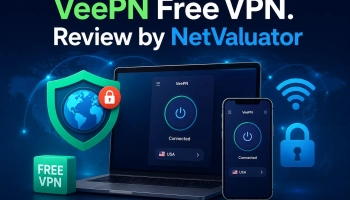
How to Download and Install a Paid VPN Service


Downloading and installing a paid VPN service can seem daunting if you’re new to online privacy tools. However, with a clear step-by-step approach, it becomes straightforward and secure. In this article, we’ll guide you through the process using three popular VPN providers as examples: NordVPN, Surfshark, and ExpressVPN.
Understanding the Basics of VPN Installation
Before we dive into specific services, it’s helpful to understand what a VPN is and why installation matters for your security. A Virtual Private Network (VPN) encrypts your internet connection and hides your IP address, giving you privacy and access to restricted content. Paid VPNs typically offer better performance, stronger encryption, and more server locations than free alternatives. Knowing how to install them ensures you get the most out of your subscription.
NordVPN: Downloading the Installer
The first step to using NordVPN is visiting the official site and accessing the setup files. Go to NordVPN and choose your device type — Windows, Mac, Android, or iOS. After selecting your platform, the website will prompt you to download the appropriate installer package. Make sure you save this file in a location you can easily access.

Once the installer is downloaded, open the file to begin the installation process. Your system may ask for permission to make changes; this is necessary to install the VPN client. Follow the on-screen instructions, which will typically include agreeing to terms and choosing installation preferences. After installation completes, you can launch NordVPN and log in with your credentials.
Surfshark VPN: Creating an Account and Installing
To get started with Surfshark, visit Surfshark VPN and sign up for a subscription plan that fits your needs. During sign-up, you’ll create an email and password — keep these secure for future login. After subscribing, navigate to the downloads section to choose the app for your specific device. The website will provide tailored instructions for each operating system.
 SurfShark VPN
Surfshark stands out for its modern design and strong security features. Its quick and straightforward download process allows users to install the app easily and start using the service on multiple devices.
|
Download the installer and wait for the process to complete, then run the file to start installation. You may be required to grant system permissions, depending on your device. Follow the installer prompts, such as selecting installation location and agreeing to the privacy policy. Once finished, open Surfshark, sign in, and connect to your preferred server location.
ExpressVPN: Setting Up on Multiple Devices
ExpressVPN offers seamless installation across a wide range of devices, and you can begin at ExpressVPN. After subscribing, you’ll be guided to a dashboard where you can download the app for each device you use. ExpressVPN supports computers, phones, tablets, and even routers, making setup flexible. Choose the appropriate download link for your device from the dashboard.
 ExpressVPN
 is recognized for its reliability and premium quality service. The fast, user-friendly download process ensures a smooth setup, allowing users to secure their connection within minutes on virtually any platform.
|
Once downloaded, open the installer and start the setup wizard. The wizard will guide you through installation choices and may ask for system permissions. After successful installation, launch the app and enter your account information. You’ll then be ready to connect to the VPN and protect your traffic wherever you are.
Troubleshooting Common Installation Issues
Sometimes VPNs don’t install correctly due to system compatibility or network issues. If you encounter errors, first check that your device meets the minimum requirements specified by the VPN provider. Also ensure you have a stable internet connection during download and installation. Restarting your device can often resolve temporary conflicts.
If problems persist, visit the support section of your VPN provider’s website for troubleshooting guides and help articles. Many services also offer live chat or email support to assist you. Keeping your operating system updated can prevent compatibility issues. With patience and support, most installation issues can be resolved quickly.
Connecting and Verifying Your VPN
After installation, it’s important to test that your VPN is working correctly before you rely on it. Open your VPN app and connect to a server in your chosen location. Many VPNs display connection status and IP changes directly within the app interface. You can then check your new IP address using an online IP lookup tool to confirm the VPN is active.
If the IP address changes and shows a different location, your VPN is functioning as expected. If not, disconnect and reconnect, or try a different server location. This verification step ensures your privacy and protection are fully active. Regularly checking your connection helps maintain security.
Maintaining and Updating Your VPN App
Keeping your VPN app up to date ensures you have the latest security patches and features. Most VPN services regularly release updates that improve performance and fix bugs. Enable automatic updates when prompted during installation, if available. If your VPN doesn’t update automatically, check for updates in the app settings periodically.
Updating your VPN can also add new server locations and protocol options for better speed or security. Always download updates from the official provider to avoid tampered files. Taking time for maintenance enhances your VPN experience. This proactive approach helps protect your online activities consistently.
Maximizing Your VPN Subscription Benefits
Beyond installation, getting the most out of your VPN means exploring advanced features like split tunneling, kill switch, and multi-device support. Many paid VPNs allow simultaneous connections on multiple devices, meaning you can secure your phone, tablet, and laptop at the same time. Familiarize yourself with these features in the app’s settings. They can significantly enhance your privacy and convenience.
Also consider using the VPN’s customer support and knowledge base to learn about best practices. Some VPNs offer optimized servers for streaming or torrenting that improve performance. Taking advantage of these specialized servers can enhance your online experience. Knowing the full capabilities of your VPN makes your subscription more valuable.
Installing a paid VPN service like NordVPN, Surfshark, or ExpressVPN is a manageable process when you follow clear steps and understand what to expect. With your VPN set up, you can enjoy a more secure and private internet experience. Remember to keep your software updated and explore security features to get the best results.


![Ranking: 6 Most Popular Linux Distributions [Download]](https://netvaluator.com/wp-content/uploads/thumbs_dir/linux-distro-ranking-24mznwslyokjraw2zy4r3kkzw9qackbyxs3vu98cut9g.webp)