How to Download YouTube Videos Using 4K Video Downloader

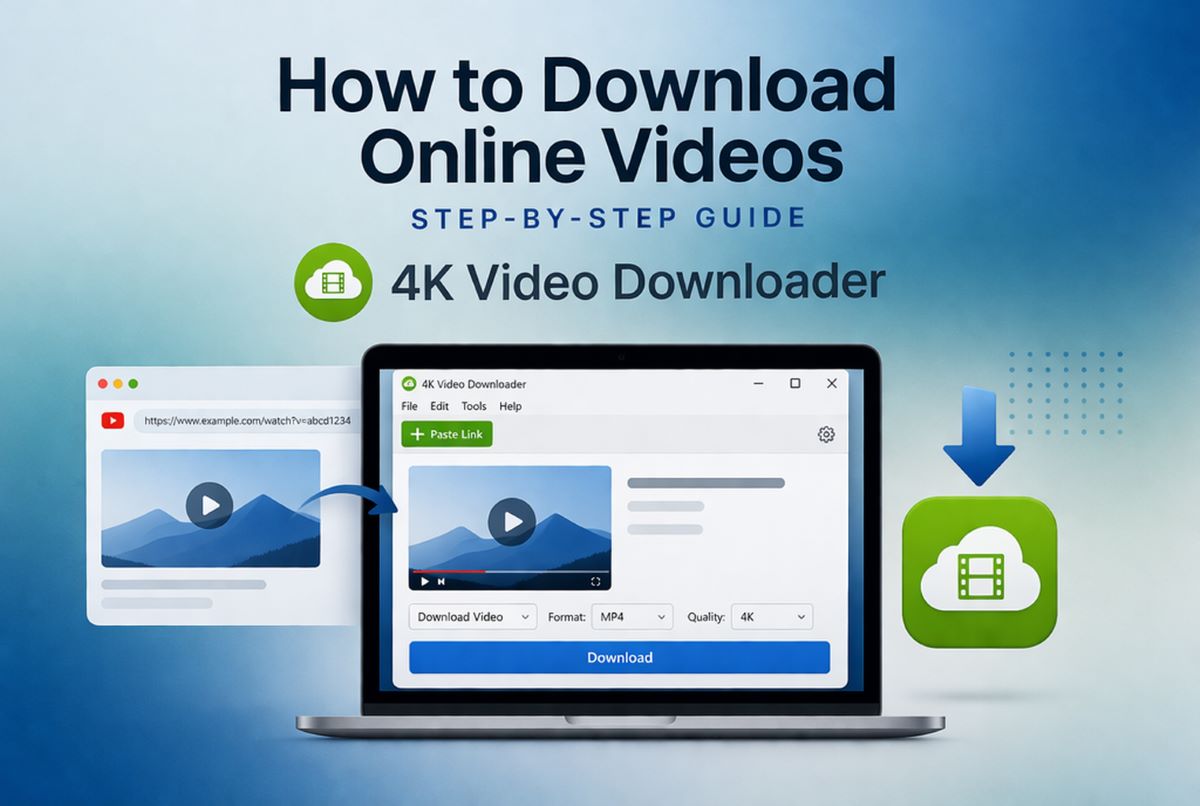
Step-by-step guide to downloading YouTube videos safely with 4K Video Downloader 📥
Downloading videos from YouTube can be useful for offline viewing, content archiving, or educational purposes. One of the most reliable tools available today is 4K Video Downloader, known for its simplicity and powerful features. This guide explains how to use it effectively based on official documentation and FAQs.
Download 4K Video Downloader
 4K Video Downloader
 is a cross-platform app that lets you save high-quality videos from YouTube and other websites in seconds. It works faster than any free online video downloader — just a click, and you can enjoy content anytime, anywhere.
|
Simple method to save YouTube videos in high quality 🎬
4K Video Downloader allows users to download videos, playlists, and channels in high resolution, including 4K and even 8K quality. The process is straightforward and does not require technical knowledge. With built-in smart features and format options, it provides flexibility for both beginners and advanced users. Understanding the correct steps ensures fast and safe downloads.
Getting Started with 4K Video Downloader Installation ⚙️
To begin, visit the official website of 4K Video Downloader and download the application for your operating system. It supports Windows, macOS, and Linux, ensuring compatibility across most devices. Installation is quick and requires only a few clicks, with no bundled software or unnecessary add-ons.
After installation, launch the application to access its clean and intuitive interface. The main window is minimalistic, making navigation easy even for first-time users. You will immediately notice the “Paste Link” button, which is the core feature for downloading content.
How to Copy and Paste a YouTube Video Link 🔗
Open YouTube in your browser and find the video you want to download. Copy the video URL directly from the address bar or by using the share button provided under the video. This step is essential, as the downloader relies on the link to fetch the content.
Once copied, return to 4K Video Downloader and click the “Paste Link” button. The software will automatically analyze the video and prepare available download options. This process usually takes only a few seconds depending on your internet speed.
Selecting Format and Quality Options 🎞️
After the link is processed, a window will appear allowing you to choose format and quality settings. You can download videos in MP4, MKV, or extract audio in formats like MP3 or M4A. The tool supports resolutions from standard quality up to 4K and 8K, depending on the source.
Choosing the right format depends on your needs, such as device compatibility or storage limitations. Higher resolutions provide better clarity but require more disk space. The application also allows subtitles and metadata downloads, which is useful for educational or archival purposes.
Downloading Playlists and Channels Efficiently 📂
4K Video Downloader is not limited to single videos; it also supports entire playlists and channels. Simply copy the playlist or channel URL and paste it into the application. The software will detect multiple videos and offer batch download options.
This feature saves time when downloading large collections of content. You can select specific videos or download everything automatically. Smart Mode can be enabled to apply the same settings across all downloads, streamlining the process further.
Advanced Features and Smart Mode Usage 🚀
Smart Mode is a powerful feature that lets you predefine download preferences such as format, quality, and destination folder. Once enabled, you only need to paste links, and downloads will start automatically with your chosen settings. This is ideal for users who frequently download content.
Additionally, the software supports proxy setup, private video downloads (with login), and subtitle extraction. According to the FAQ, it also allows downloading age-restricted content and 3D or 360° videos. These advanced options make it a versatile tool beyond basic downloading.
Downloading YouTube videos using 4K Video Downloader is simple, efficient, and accessible for all users. With its clean interface and powerful features, it remains one of the best tools for offline content management. By following the steps above, you can safely download videos in your preferred format and quality.
Sources
https://www.4kdownload.com/help/14
https://www.4kdownload.com/products/videodownloader-42
https://en.wikipedia.org/wiki/YouTube


![How to Speed Up Your Computer or Laptop Using CCleaner [Download Link]](https://netvaluator.com/wp-content/uploads/thumbs_dir/How-to-Speed-Up-Your-Computer-or-Laptop-Using-CCleaner-Download-Link-24atl2r3vfwvjw351zfwl3ltz2nj6l4fqzn279y44ask.jpg)
![Free Alternatives to Microsoft Office [Download]](https://netvaluator.com/wp-content/uploads/thumbs_dir/Free-Alternatives-to-Microsoft-Office-23tz66lf7ir1p1zad3v5pkuve9dmvyu7bmabbvq4ksys.jpg)