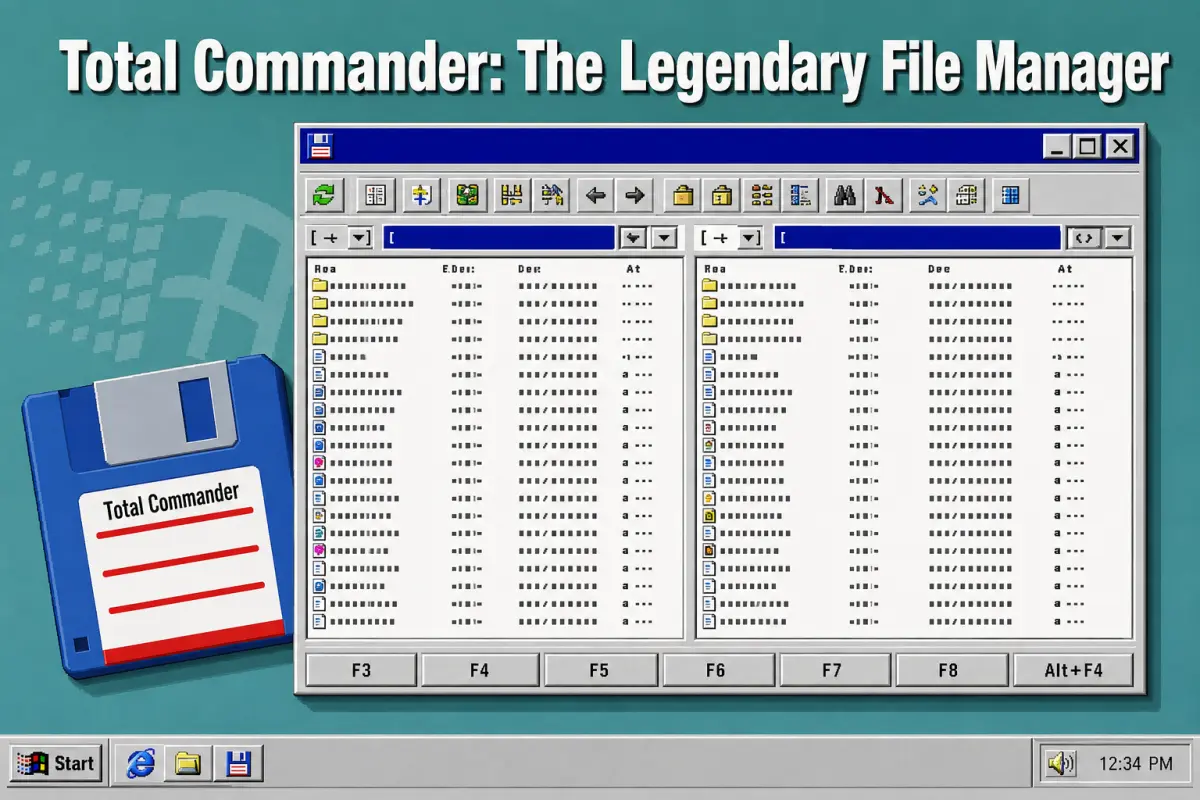
📁 Total Commander: The Legendary File Manager – History, Features, Download and Installation
Total Commander is a powerful file manager best known for its practical dual-pane interface and extensive keyboard controls.Developed by Christian Ghisler, the program has remained popular among experienced Windows users for more than three decades. This guide explores its history, essential features, interesting facts, licensing model, and the safest way to download and install it.
Total Commander Download Link
💻 Why Total Commander Remains a Popular Windows File Manager
Total Commander offers a faster and more flexible alternative to the standard Windows File Explorer. Its two side-by-side panels make copying, moving, comparing, and organizing files between locations remarkably convenient. The software also combines file searching, archive management, FTP access, folder synchronization, batch renaming, and numerous advanced utilities.
Despite its traditional appearance, regular updates and an extensive plugin ecosystem have kept it useful on modern computers.
🕰️ The History of Total Commander and Windows Commander
Total Commander began on September 25, 1993, when Swiss developer Christian Ghisler released a 16-bit Windows 3.1 application called Windows Commander. Its two-panel design followed the tradition established by orthodox file managers such as Norton Commander, but introduced that efficient working style to the graphical Windows environment.
The application was renamed Total Commander in 2002 following trademark-related correspondence concerning the word “Windows.” The new name was selected with the assistance of a trademark attorney and suggested complete control over stored files. Development continued under Ghisler Software, with registered users receiving subsequent Windows updates free of charge.
⚙️ Total Commander Features That Improve File Management
The defining feature of Total Commander is its dual-pane layout, which displays two folders or storage locations simultaneously. Users can copy or move items between panels without repeatedly opening new windows. Tabs, directory history, favorites, keyboard shortcuts, background transfers, and customizable button bars make frequent operations significantly quicker.
Total Commander can compare files by content, synchronize directories, find duplicate files, split large files, and rename many items using detailed rules. Common archives can be opened much like ordinary folders, while the integrated FTP client supports remote transfers. A built-in viewer and search tools help users inspect content without launching several separate programs.
🧩 Total Commander Plugins, Customization and Interesting Facts
The program supports four major plugin categories: packer, file-system, content, and Lister plugins. These extensions can add archive formats, connect external storage services, expose file metadata, or preview specialized content. Many plugins are produced by independent developers, so users should obtain them from trustworthy sources and confirm compatibility with their installed architecture.
Total Commander is primarily associated with Windows, but an official freeware edition is also available for Android. Another notable detail is the program’s unusually long support history: modern releases can coexist with technology originating in early Windows versions. Its compact installation, familiar function-key controls, and portable-use options have helped it retain a loyal international community.
⬇️ How to Download Total Commander Safely
The safest source is the official Total Commander website at ghisler.com, where current installers and verified mirrors are listed. As of July 2026, the current Windows release is Total Commander 11.58. Users can choose a 32-bit package, a 64-bit package, or a combined installer containing both editions, depending on their system and plugin requirements.
Avoid unofficial download portals that bundle installers with advertising tools or unrelated software. The Windows edition is distributed as shareware and may be evaluated for 30 days before the user must purchase a licence or remove it. The official Android version is freeware and can be obtained through the stores and download links listed by the developer.
🛠️ How to Install and Configure Total Commander on Windows
After downloading the official installer, open it and select the preferred interface language, installation folder, and shortcut options. Most users with a modern computer can choose the combined 32-bit and 64-bit package or the standalone 64-bit build. Windows may display a security confirmation, so verify that the installer came from Ghisler’s official download page before continuing.
When Total Commander starts for the first time, explore the Configuration menu to adjust colors, file displays, tabs, and operation settings. Frequently used folders can be added to the directory hotlist, while buttons may be assigned to programs or internal commands. New users should learn the F3, F4, F5, F6, F7, and F8 shortcuts to benefit fully from its workflow.
⌨️ Why Total Commander Is Still Worth Using Today
Total Commander may look conservative beside newer file managers, yet its efficiency becomes clear during demanding everyday work. Administrators, developers, website owners, and users maintaining large collections can handle repetitive operations with fewer clicks. Folder comparison, queued transfers, batch tools, and direct archive access can save considerable time.
The interface has a learning curve because numerous menus and shortcuts are available, but it can be adapted gradually. Beginners may initially use it like a basic two-panel explorer before enabling plugins and advanced commands. Once configured around personal habits, Total Commander becomes a reliable workspace rather than merely another utility for browsing folders.
Total Commander has survived several generations of Windows because its central idea remains practical: show two locations and give the user efficient control over both.
Its long history, compact design, advanced utilities, customization options, and active development make it one of the most distinctive file managers available.
Downloading it from the official website and learning its core shortcuts provides the safest and quickest route to a more productive file-management workflow.

![Ranking: 6 Most Popular Linux Distributions [Download]](https://netvaluator.com/wp-content/uploads/thumbs_dir/linux-distro-ranking-24mznwslyokjraw2zy4r3kkzw9qackbyxs3vu98cut9g.webp)
![How to Speed Up Your Computer or Laptop Using CCleaner [Download Link]](https://netvaluator.com/wp-content/uploads/thumbs_dir/How-to-Speed-Up-Your-Computer-or-Laptop-Using-CCleaner-Download-Link-24atl2r3vfwvjw351zfwl3ltz2nj6l4fqzn279y44ask.jpg)

![Free Alternatives to Microsoft Office [Download]](https://netvaluator.com/wp-content/uploads/thumbs_dir/Free-Alternatives-to-Microsoft-Office-23tz66lf7ir1p1zad3v5pkuve9dmvyu7bmabbvq4ksys.jpg)