Signal – Download, Installation and Login Guide

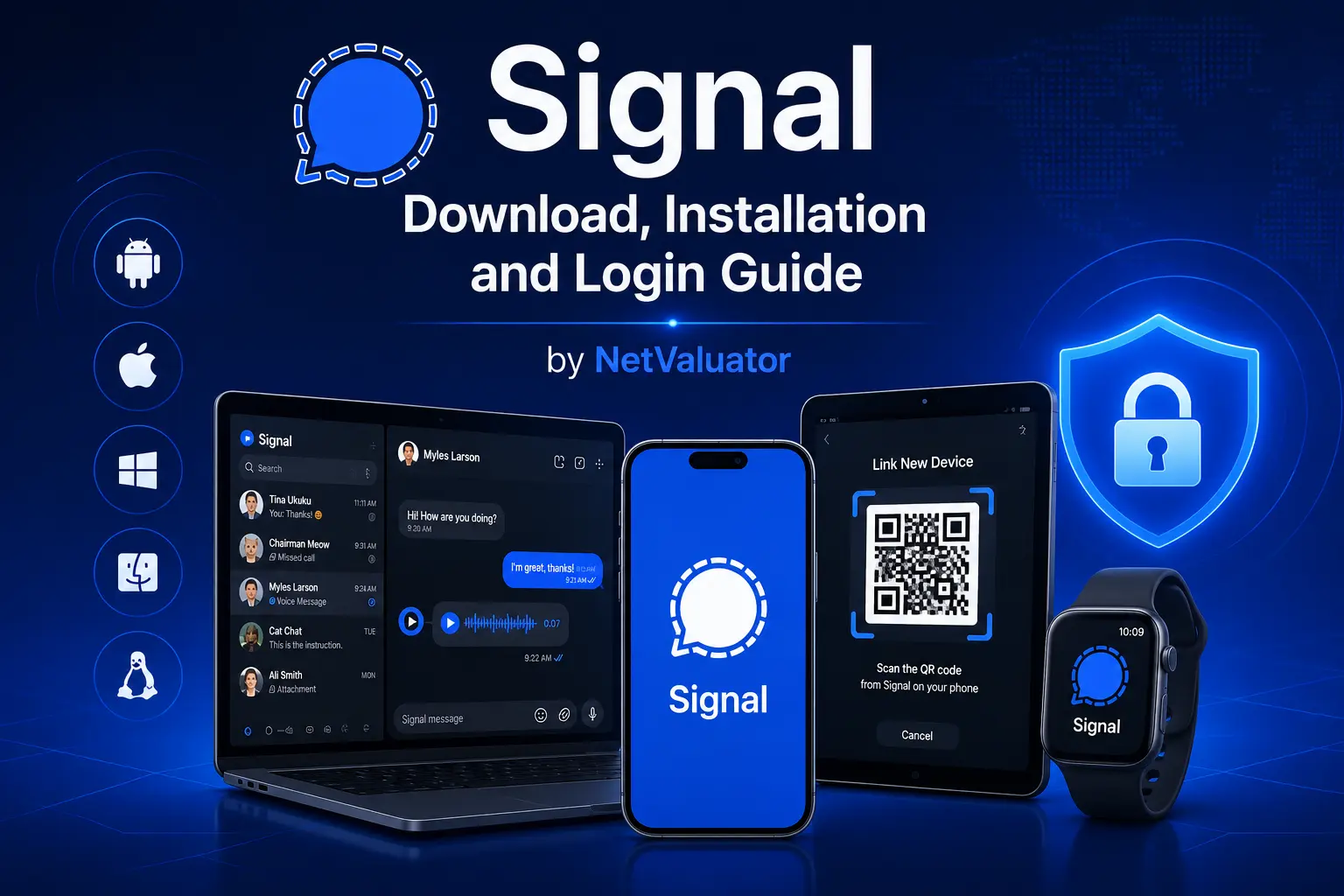
📱 Complete Guide to Downloading, Installing and Logging into Signal on All Your Devices
Signal has become one of the world’s most trusted messaging applications thanks to its strong focus on privacy, security, and end-to-end encryption. Whether you want to use it on your smartphone, tablet, or desktop computer, the setup process is simple and only takes a few minutes. This guide explains how to download, install, and log into Signal across multiple devices while highlighting the most important features every new user should know.
Signal Download

🔒 Why Choose Signal for Secure Communication?
Signal offers industry-leading end-to-end encryption by default for every conversation, voice call, and video call. Unlike many competing messaging platforms, it collects very little user data and stores almost no metadata. The application is free to use, open-source, and available on Android, iPhone, Windows, macOS, Linux, and iPad. It is suitable for both personal conversations and professional communication where privacy matters.
📥 How to Download Signal on Android, iPhone and Desktop
Downloading Signal is straightforward regardless of the device you use. Android users can install it from Google Play, while iPhone and iPad owners can download it from the Apple App Store. Windows, macOS, and Linux users should download the desktop version directly from the official Signal website to ensure they receive the latest secure release.
Always install Signal from official sources rather than third-party websites. This guarantees that the application has not been modified and includes the latest security updates. Keeping the app updated is important because new versions frequently improve privacy protections, fix bugs, and introduce useful features.
📲 Installing Signal Step by Step
Once the application has finished downloading, open it and begin the installation process. Signal requests only the permissions necessary for messaging features, such as access to contacts, notifications, the camera, and the microphone. Most permissions remain optional and can be changed later through your device settings.
During the initial setup, Signal will ask you to verify your mobile phone number. A verification code is sent via SMS or voice call depending on your region. After entering the code, you can create a profile by adding your name and optionally choosing a profile picture.
🔑 How to Log into Signal Securely
Unlike many messaging platforms, Signal does not require a traditional username and password for everyday login. Your verified phone number acts as the primary account identifier, while your device stores the encryption keys needed to access your conversations securely.
For additional protection, users can create a Signal PIN. This PIN helps protect profile information and makes it easier to restore certain account details when switching to a new device. It is recommended to choose a strong PIN that is easy for you to remember but difficult for others to guess.
💻 Using Signal on Multiple Devices
Signal supports using multiple devices linked to a single primary smartphone. After installing Signal Desktop on Windows, macOS, or Linux, simply open the application and scan the QR code displayed on your computer using the Linked Devices option inside the Signal mobile app. The desktop client will securely synchronize with your account.
You can connect several desktop devices simultaneously without moving your account between them. Each linked device maintains its own encrypted connection, ensuring your conversations remain protected. Messages continue to be encrypted from sender to recipient across every connected device.
📱 Setting Up Signal on a New Smartphone
If you replace your phone, install Signal on the new device before removing it from the old one whenever possible. Signal includes a secure transfer process that allows many users to migrate their message history directly between compatible devices using an encrypted local connection.
If message transfer is unavailable, you can still register your phone number on the new device and continue using Signal. Depending on your platform and backup method, previous chat history may not automatically transfer, making regular backups an important part of protecting your conversations.
🔐 Privacy Features Worth Enabling
Signal includes numerous privacy options that enhance security beyond basic encryption. Users can enable registration lock, screen security, disappearing messages, read receipt controls, typing indicators, and screen lock protection. These settings allow you to customize the balance between convenience and privacy.
The application also supports encrypted voice and video calls, group chats, media sharing, and high-quality file transfers. Because Signal stores minimal user information on its servers, much less personal data is available compared with many mainstream messaging services.
⚙️ Common Installation and Login Problems
If Signal fails to verify your phone number, first confirm that you have entered the correct country code and phone number. Temporary network issues, delayed SMS delivery, or carrier restrictions may occasionally delay verification messages. Waiting a few minutes before requesting another code often resolves the issue.
Desktop connection problems are usually fixed by updating both the mobile and desktop applications to the latest version before relinking the device. If difficulties continue, removing the linked device and pairing it again generally restores synchronization without affecting account security.
🚀 Tips for Everyday Signal Use
Enable automatic updates to receive the newest security improvements as soon as they become available. Consider using disappearing messages for sensitive conversations and protect your device with biometric authentication or a strong screen lock. These simple habits significantly improve your overall privacy.
Signal continues to expand its functionality while maintaining its privacy-first philosophy. Whether you communicate with family, friends, or colleagues, the application provides a fast, reliable, and highly secure messaging experience across smartphones, tablets, and desktop computers.
Signal is one of the easiest secure messaging applications to install while also offering some of the strongest privacy protections available today. Setting it up across multiple devices requires only a few simple steps and can be completed in minutes. By following this guide and enabling the recommended security features, you can enjoy encrypted communication wherever you use Signal.
📚 Sources
- https://signal.org/download/
- https://support.signal.org/
- https://en.wikipedia.org/wiki/Signal_(software)
![Ranking: 6 Most Popular Linux Distributions [Download]](https://netvaluator.com/wp-content/uploads/thumbs_dir/linux-distro-ranking-24mznwslyokjraw2zy4r3kkzw9qackbyxs3vu98cut9g.webp)