How to Log In to Your Modem or Router If You Forgot the Password

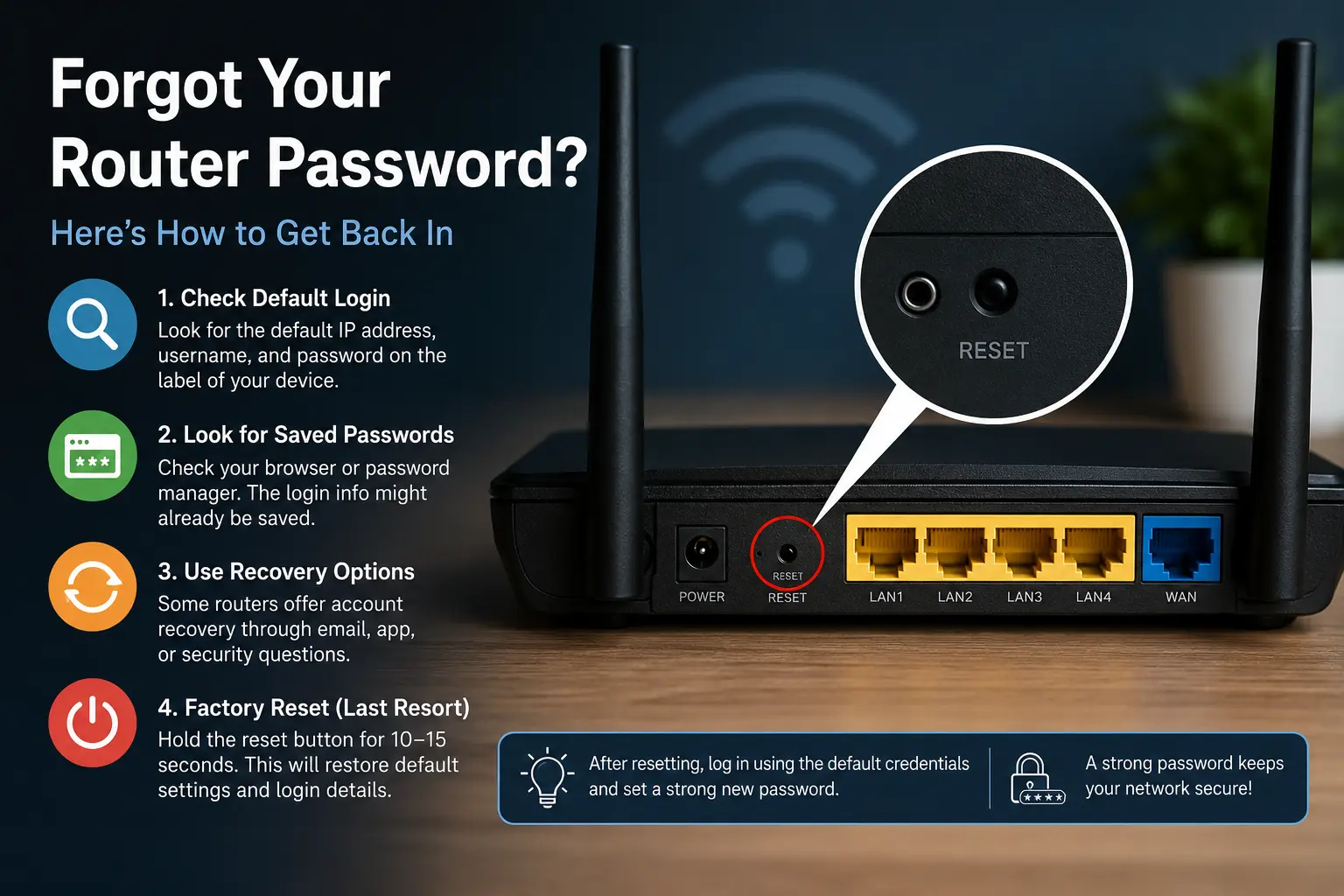
🔐 Complete Guide to Regaining Access to a Router or Modem Without Knowing the Login Password
Forgetting the password to your modem or router is a common problem that affects both home and business users. Without access to the administration panel, it becomes difficult to change Wi-Fi settings, update firmware, or improve network security. Fortunately, there are several proven methods that can help you regain access to your networking device safely and efficiently.
🛠️ Why Router Access Is Important for Network Management
Access to the router administration panel allows users to configure wireless networks, monitor connected devices, and update security settings. Losing access can be frustrating, but most routers include recovery options that make it possible to regain control without replacing the hardware.
📶 Find the Default Router Login Information
Before attempting a factory reset, check whether the router is still using its default credentials. Many devices include a sticker on the bottom or back displaying the default IP address, username, and password. Common addresses include 192.168.0.1 and 192.168.1.1, while usernames such as “admin” are frequently used by manufacturers.
If the credentials were never changed after installation, logging in may be as simple as entering the information printed on the device. Router manufacturers often maintain online databases containing default login details for specific models. Checking the user manual or official support page can save time and avoid unnecessary configuration changes.
🔍 Check Saved Passwords on Your Devices
Many users forget that browsers and password managers often store router login credentials automatically. Google Chrome, Microsoft Edge, Firefox, and dedicated password management applications may contain the information needed to access the router. Searching saved passwords can be much faster than resetting the device.
Windows and macOS systems may also contain network-related credentials stored from previous configuration sessions. If multiple household members have accessed the router in the past, another device may still have the correct password saved. Recovering the existing password preserves all current network settings and connected devices.
⚙️ Use the Router Recovery Features
Modern routers from major manufacturers increasingly include password recovery functions. These systems may allow account recovery through a linked email address, security questions, or a companion mobile application. Business-grade devices sometimes support administrator account recovery without affecting network configurations.
The availability of these features depends on the router brand and model. Reviewing the documentation can reveal recovery options that many users overlook. Utilizing built-in recovery tools is generally safer than performing a full factory reset because all custom settings remain intact.
🔄 Reset the Router to Factory Settings
If no recovery option works and the password cannot be found, a factory reset becomes the final solution. Most routers include a small recessed reset button that must be pressed and held for approximately ten to fifteen seconds while the device is powered on. Indicator lights usually signal when the reset process has begun.
After the reset completes, all custom settings are erased, including Wi-Fi names, passwords, parental controls, and port forwarding rules. Users can then log in using the default credentials supplied by the manufacturer and configure the network from scratch. It is recommended to create a strong new administrator password immediately after regaining access.
🛡️ Improve Security After Regaining Access
Once access has been restored, updating security settings should become a priority. Changing the administrator password, enabling WPA3 or WPA2 encryption, and installing the latest firmware can significantly improve protection against unauthorized access. Many cyberattacks target routers that still use factory-default credentials.
Creating a secure password and storing it in a password manager reduces the likelihood of future lockouts. Users should also consider backing up router configurations if the feature is available. A configuration backup can dramatically simplify recovery if another reset becomes necessary in the future.
Forgetting a router password does not necessarily mean losing permanent access to the device. In many cases, default credentials, saved passwords, or recovery tools provide a quick solution. When all else fails, a factory reset restores access and allows users to rebuild a secure and properly configured network.
📚 Sources
- https://www.cisco.com
- https://www.tp-link.com
- https://en.wikipedia.org/wiki/Router_(computing)





![Free Alternatives to Microsoft Office [Download]](https://netvaluator.com/wp-content/uploads/thumbs_dir/Free-Alternatives-to-Microsoft-Office-23tz66lf7ir1p1zad3v5pkuve9dmvyu7bmabbvq4ksys.jpg)


